# docz
**Repository Path**: stlstl/docz
## Basic Information
- **Project Name**: docz
- **Description**: ✍ It has never been so easy to document your things!
- **Primary Language**: Unknown
- **License**: MIT
- **Default Branch**: master
- **Homepage**: None
- **GVP Project**: No
## Statistics
- **Stars**: 0
- **Forks**: 0
- **Created**: 2020-10-17
- **Last Updated**: 2021-03-30
## Categories & Tags
**Categories**: Uncategorized
**Tags**: None
## README
Docz makes it easy to write and publish beautiful interactive documentation for your code.
Create MDX files showcasing your code and Docz turns them into a live-reloading, production-ready site.
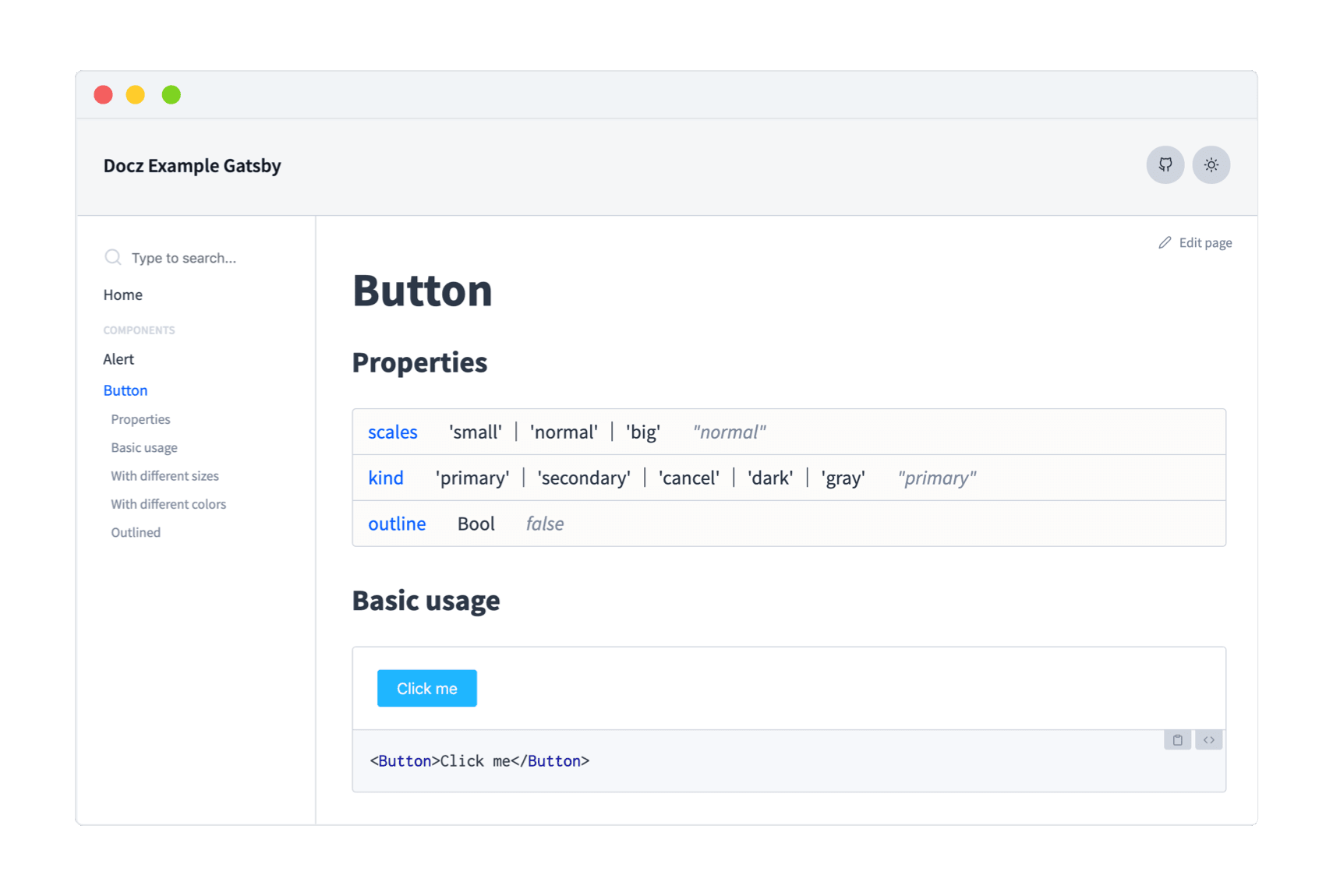
## Table of Contents
- [Why ?](#why)
- [Start a New Project](#start-a-new-project)
- [Add Docz to an Existing Project](#add-docz-to-an-existing-project)
- [Build](#build)
- [Deploy](#deploy)
- [Examples](#examples)
- [More info on docz.site](#more-info-on-doczsite)
- [Used by](#used-by)
- [Contributors](#contributors)
- [Contributing](#contributing)
## Why ?
Documenting code is one of the most important and time-heavy processes when developing software.
A lot of time is spent on building and maintaining custom documentation sites.
Docz enables you to quickly create live-reloading, seo-friendly, production-ready documentation sites with MDX and customize the look, feel and behavior when required by leveraging [GatsbyJS](https://www.gatsbyjs.org) and [Gatsby theme shadowing](https://www.gatsbyjs.org/docs/themes/shadowing/).
## Start a New Project
Use [create-docz-app](https://www.npmjs.com/package/create-docz-app) to quickly get started :
```sh
npx create-docz-app my-docz-app
# or
yarn create docz-app my-docz-app --example typescript
```
## Add Docz to an Existing Project
Start by adding `docz` as a dependency :
```bash
$ yarn add docz # react react-dom
# or
$ npm install docz # react react-dom
```
> **Note**: `react` and `react-dom` will not be installed automatically. You'll have to install them yourself.
Then, add `.mdx` files anywhere in your project:
```mdx
---
name: Button
route: /
---
import { Playground, Props } from 'docz'
import Button from './Button'
# Button
## Basic usage
```
And a Button component `Button.jsx`:
```typescript
import React from 'react'
import t from 'prop-types'
const Button = ({ children, type }) =>
Button.propTypes = {
/**
* This is a description for this prop.
* Button type.
*/
type: t.oneOf(['button', 'submit', 'reset']),
}
Button.defaultProps = {
type: 'button',
}
export default Button
```
Finally, run:
```bash
yarn docz dev
```
This will start a local development server and open your documentation site in the browser.
## Build
`yarn docz build` will generate a static site for your site in `.docz/dist/`.
You can try it out with `yarn docz serve` or by serving the generated site with your favorite static file server (e.g. `npx serve .docz/dist`).
You can have `yarn docz build` emit to a different directory by providing a path to the `dest` field in your doczrc.js or from the command line : `yarn docz build --dest docs-site-directory`.
## Deploy
The output of docz consists of static assets only. This allows you to deploy your generated `docz` site with any static site hosting provider you'd like.
Start by building your site with `yarn docz build`, if you haven't provided a `dest` flag to your config then you will find your generated files in `.docz/dist` to copy to the server.
## Examples
- **[with basic](https://github.com/doczjs/docz/tree/master/examples/basic)**
- **[with a gatsby site](https://github.com/doczjs/docz/tree/master/examples/gatsby)**
- **[with react native](https://github.com/doczjs/docz/tree/master/examples/react-native)**
- **[with styled-components](https://github.com/doczjs/docz/tree/master/examples/styled-components)**
- **[with typescript](https://github.com/doczjs/docz/tree/master/examples/typescript)**
- **[with algolia search](https://github.com/doczjs/docz/tree/master/examples/with-algolia-search)**
- **[with gatsby-remark-vscode](https://github.com/doczjs/docz/tree/master/examples/with-gatsby-remark-vscode)**
- **[with react-router](https://github.com/doczjs/docz/tree/master/examples/react-router)**
- **[with flow](https://github.com/doczjs/docz/tree/master/examples/flow)**
- **[with images](https://github.com/doczjs/docz/tree/master/examples/images)**
- **[with sass](https://github.com/doczjs/docz/tree/master/examples/sass)**
- **[with less](https://github.com/doczjs/docz/tree/master/examples/less)**
- **[with stylus](https://github.com/doczjs/docz/tree/master/examples/css-stylus)**
- **with css modules**: works out of the box.
### You can check the complete list of docz examples [here](https://github.com/doczjs/docz/tree/master/examples).
## More info on [docz.site](https://docz.site)
## Used by
- **[Welcome UI](http://welcome-ui.com/)** : Customizable design system with react • styled-components • styled-system and reakit.
- **[React Hooks Testing Library](https://react-hooks-testing-library.com/)** : 🐏 Simple and complete React hooks testing utilities that encourage good testing practices.
- **[Mobx React](https://mobx-react.js.org/)** : mobx-react documentation site.
- **[React Google Charts](https://react-google-charts.com/)** : A thin, typed, React wrapper over Google Charts Visualization and Charts API.
- **[Entur](https://developer.entur.org/)** : Entur operates the national registry for all public transport in Norway.
- **[FAB Specification](https://fab.dev/)** : 💎 FABs are a compile target for frontend applications.
- **[@umijs/hooks](https://hooks.umijs.org/)**: React Hooks Library.
- **[React Yandex Maps](https://react-yandex-maps.now.sh/)**: Yandex Maps API bindings for React.
- **[Components-extra](https://components-extra.netlify.com)**: Customizable react component blocks built with material-ui and styled-components.
- **[Add your site](https://github.com/doczjs/docz/edit/master/README.md)**
## Contributors
This project exists thanks to all the people who contribute. [[Contribute](CONTRIBUTING.md)].
## Contributing
All kinds of contributions are very welcome and appreciated !
If you want to contribute time to docz then here's a list of suggestions to get you started :
1. Star the project.
2. Help people in the [issues](https://github.com/doczjs/docz/issues?q=is%3Aissue+is%3Aopen+sort%3Aupdated-desc) by sharing your knowledge and experience.
3. Find and report issues.
4. Submit PRs to help solve issues or add features.
5. Influence the future of docz with feature requests.
If you're looking for a place to start make sure to check issues tagged with :
[](https://github.com/doczjs/docz/issues?q=is%3Aopen+is%3Aissue+label%3A%22good+first+issue%22)
And make sure to read the [Contributing Guide](/CONTRIBUTING.md) before making a pull request.
You can also contribute money to help secure docz's future.

 ## Contributing
All kinds of contributions are very welcome and appreciated !
If you want to contribute time to docz then here's a list of suggestions to get you started :
1. Star the project.
2. Help people in the [issues](https://github.com/doczjs/docz/issues?q=is%3Aissue+is%3Aopen+sort%3Aupdated-desc) by sharing your knowledge and experience.
3. Find and report issues.
4. Submit PRs to help solve issues or add features.
5. Influence the future of docz with feature requests.
If you're looking for a place to start make sure to check issues tagged with :
[](https://github.com/doczjs/docz/issues?q=is%3Aopen+is%3Aissue+label%3A%22good+first+issue%22)
And make sure to read the [Contributing Guide](/CONTRIBUTING.md) before making a pull request.
You can also contribute money to help secure docz's future.
## Contributing
All kinds of contributions are very welcome and appreciated !
If you want to contribute time to docz then here's a list of suggestions to get you started :
1. Star the project.
2. Help people in the [issues](https://github.com/doczjs/docz/issues?q=is%3Aissue+is%3Aopen+sort%3Aupdated-desc) by sharing your knowledge and experience.
3. Find and report issues.
4. Submit PRs to help solve issues or add features.
5. Influence the future of docz with feature requests.
If you're looking for a place to start make sure to check issues tagged with :
[](https://github.com/doczjs/docz/issues?q=is%3Aopen+is%3Aissue+label%3A%22good+first+issue%22)
And make sure to read the [Contributing Guide](/CONTRIBUTING.md) before making a pull request.
You can also contribute money to help secure docz's future.